
Your Ultimate Guide to Downloading GTA V for Free Upgrades
With the ever-evolving gaming landscape and the anticipation building around GTA 6, Rockstar Games has made a significant move by offering players a chance to upgrade to GTA V on new console platforms. If you own GTA V on older consoles, now is the perfect time to leap into the enhanced versions available for PlayStation 5 and Xbox Series X/S. In this comprehensive guide, we’ll walk you through the process of downloading the game and making the most out of these free upgrades.
Overview of GTA V and Its Importance Now
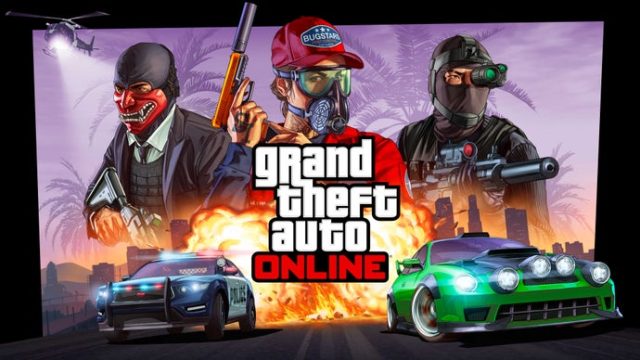
Grand Theft Auto V has been a landmark title since its initial release, garnering a passionate community of players around the globe. The game not only offers a thrilling single-player experience but also features GTA Online, an engaging multiplayer space that continues to grow with regular updates.
With the announcement of free upgrades, players can enjoy stunning graphics, faster loading times, and improved performance on the latest consoles. These enhancements make it a prime opportunity for both returning players and newcomers looking to dive into one of the most celebrated games of all time.
Platform Availability
GTA V is available on multiple platforms, making it accessible to a wide range of players. Here's where you can find the game:
- PlayStation 5: Available through the PlayStation Store.
- Xbox Series X/S: Downloadable from the Xbox Store.
- PC: Players can find it on platforms like Steam and the Rockstar Games Launcher.
Ensure you have accounts on these platforms to access the game easily.
System Requirements for Enhanced Experience
Your gaming experience on PS5 or Xbox Series X/S will be significantly enhanced, but it’s essential to meet the following requirements to enjoy the game to its fullest:
For PlayStation 5:
- Storage: Minimum of 88 GB free space
- PlayStation Network account
- Optional: PlayStation Plus for online multiplayer features
For Xbox Series X/S:
- Storage: Minimum of 75 GB free space
- Xbox Live account
- Optional: Xbox Game Pass subscription for additional content
Ensure your console is updated to the latest firmware for optimal performance and access to all features.
How to Download GTA V for Free Upgrades
Follow these simple steps to download GTA V and enjoy the free upgrades on your next-gen console:
Downloading on PlayStation 5
- Turn on your PlayStation 5 and log into your account.
- Navigate to the PlayStation Store.
- In the store, search for “GTA V” or check your library if you already own it on PS4.
- Select the game and look for the upgrade option. Follow the prompts to download the game.
- Once the download is complete, launch the game and immerse yourself in the enhanced experience.
Downloading on Xbox Series X/S
- Power on your Xbox Series X/S and sign in to your account.
- Open the Microsoft Store.
- Search for “GTA V” or check your game library if you previously purchased it on Xbox One.
- Select the game and opt for the free upgrade option. Follow instructions to download.
- After the download is finished, access the game and enjoy the improved features.
Why Now is the Perfect Time to Play GTA V
With the gaming community buzzing about the forthcoming release of GTA 6, there’s never been a better time to get back into GTA V. The free upgrades not only make it more enticing but also allow players to experience the game like never before — with enhanced graphics and smoother gameplay.
Whether you're interested in exploring the vast open world, engaging in missions, or participating in the exciting online multiplayer mode, GTA V remains a top contender in the gaming industry. Plus, joining the community now means you’ll be ready for any upcoming updates as you familiarize yourself with the game mechanics and environment.
Conclusion
In conclusion, the opportunity to download GTA V with free upgrades is a game-changer for both seasoned players and newcomers alike. By following the steps outlined in this guide, you’ll be well on your way to experiencing everything GTA V has to offer on the latest consoles. Don’t miss out on the chance to dive into one of the most iconic games and get ready for what lies ahead with GTA 6!
For further gaming updates, guides, and news, keep visiting hastelo.com and stay connected with the gaming community.