
Key Takeaways
- Rust's Common Ground update adds apartment renting features.
- The game is available on PC, PlayStation, and Xbox.
- System requirements vary between platforms, especially for PCs.
- Steps to install Rust are straightforward across platforms.
- Engaging with the community enhances the Rust experience.
Overview of Rust and the Common Ground Update
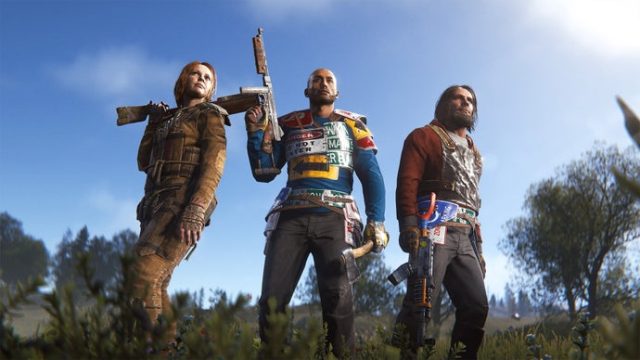
Rust is a compelling survival game that immerses players in a harsh world where they must fend off threats from the environment and other players. The latest update, dubbed Common Ground, takes the gameplay dynamics a step further by incorporating a realistic apartment and shop renting system. This change requires players to manage their resources more strategically, as they must now provide daily scrap to their landlords to avoid losing their possessions.
This update reflects a growing trend in multiplayer games where realism enhances player engagement, especially in markets like Southeast Asia, including Indonesia, where players are keen on innovative gameplay mechanics.
Platform Availability
Rust is accessible across several major gaming platforms, allowing a wide audience to engage with its intense multiplayer experience. Below is the platform availability:
- PC: Available on Steam.
- PlayStation: Download through the PlayStation Store.
- Xbox: Get it via the Xbox Store.
- Mac: Playable through Steam with specific system requirements.
System Requirements
To ensure a smooth gaming experience in Rust, it’s vital to check the system requirements based on your platform. Here’s a breakdown for PC users:
Minimum System Requirements
- OS: Windows 7 64-bit
- Processor: Intel Core 2 Duo or equivalent
- Memory: 4 GB RAM
- Graphics: NVIDIA GeForce 8800 series or equivalent
- DirectX: Version 11
- Network: Broadband Internet connection
- Storage: 20 GB available space
Recommended System Requirements
- OS: Windows 10 64-bit
- Processor: Intel i7 or equivalent
- Memory: 8 GB RAM
- Graphics: NVIDIA GeForce GTX 670 or AMD Radeon HD 7950
- DirectX: Version 11
- Network: Broadband Internet connection
- Storage: 20 GB available space
For console users, ensure your device is updated to the latest firmware to avoid compatibility issues.
How to Download Rust
Downloading Rust is simple, whether you’re on PC or console. Follow the steps below based on your preferred platform:
For PC (Steam)
- Launch the Steam client on your computer.
- In the search bar, type “Rust” and select it from the results.
- Click on the “Add to Cart” button and proceed to checkout.
- After purchase, the game will appear in your library.
- Select Rust from your library and click “Install.”
- Once installed, click “Play” to start the game.
For PlayStation
- Turn on your PlayStation console and navigate to the PlayStation Store.
- Use the search function to find “Rust.”
- Add the game to your cart and complete the purchase.
- Once downloaded, find Rust on your home screen and start playing.
For Xbox
- Open the Xbox Store on your console.
- Search for “Rust” in the store.
- Add the game to your cart and proceed to buy it.
- After downloading, access Rust from your library to begin your adventure.
Engaging with the Community
The player community can significantly enhance your Rust experience. Engaging in forums, social media groups, and live streams can provide valuable insights and strategies to navigate the game effectively. Moreover, in the context of the Southeast Asian market, local communities often share tips specific to regional gameplay, making it easier to adapt.
Additionally, exploring game updates and patch notes keeps you informed about gameplay tweaks, especially how the Common Ground update influences interactions with landlords and resource management. Stay connected to maximize your Rust journey.
Conclusion
With the evolving landscape of multiplayer games, Rust’s Common Ground update introduces a fresh layer of strategy and realism, particularly relevant in today’s gaming environment. Downloading Rust is a straightforward process, and ensuring your system meets the necessary requirements will enhance your gaming experience. Engage with the vibrant community and embrace the challenges of managing resources while navigating the complexities of renting in Rust.