
Key Takeaways
- EverQuest is a classic MMORPG with a rich history.
- Available on multiple platforms including PC and Steam.
- Check system requirements before downloading.
- Follow our step-by-step guide for easy installation.
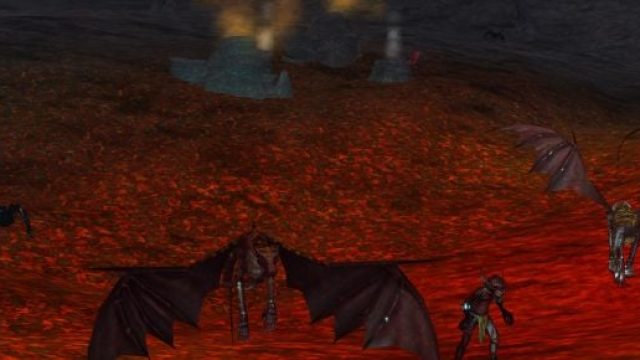
- Participate in seasonal events like the Scorched Sky Celebration.
Overview of EverQuest
EverQuest, a landmark MMORPG, has captivated players since its launch in 1999. Set in the expansive world of Norrath, players embark on quests, engage in epic battles, and build friendships. With its recent Scorched Sky Celebration event, there has never been a better time to jump into the game.
Platform Availability
EverQuest is primarily available on:
- PC: Downloadable directly from the official EverQuest website.
- Steam: Available for download through the Steam platform.
Note: While EverQuest is not currently available on consoles or mobile devices, the PC version provides a comprehensive gaming experience tailored to players seeking adventure.
System Requirements
Minimum Requirements
- OS: Windows 7 or later
- Processor: Intel Core 2 Duo or equivalent
- Memory: 4 GB RAM
- Graphics: NVIDIA GeForce 8800 or equivalent
- DirectX: Version 9.0c
- Network: Broadband Internet connection
Recommended Requirements
- OS: Windows 10
- Processor: Intel Core i5 or equivalent
- Memory: 8 GB RAM
- Graphics: NVIDIA GeForce GTX 660 or equivalent
- DirectX: Version 11
- Network: High-speed Internet connection
Ensuring your system meets these requirements will enhance your gameplay and overall experience.
How to Download
To begin your journey in EverQuest, follow these steps:
Step 1: Choose Your Platform
Decide whether you want to download EverQuest directly from the official website or through Steam. Both options provide a straightforward installation process.
Step 2: Create an Account
If you’re a new player, you will need to create an account. For existing players, simply log in using your credentials.
Step 3: Download the Game
- Official Website: Visit EverQuest's official site to download the game client.
- Steam: Go to the EverQuest page on Steam, click on “Play Game” to initiate the download.
Step 4: Install the Game
Once the download is complete, open the installation file and follow the prompts to install EverQuest on your computer.
Step 5: Launch and Play
After installation, launch EverQuest from your desktop or Steam library. Log in, create your character, and dive into the world of Norrath!
Conclusion
EverQuest remains one of the most engaging MMORPGs available today, particularly with the ongoing Scorched Sky Celebration. The game’s rich lore and vibrant community make it a perfect choice for both new and returning players. Don’t miss out on the excitement—download EverQuest now and join the adventure!