
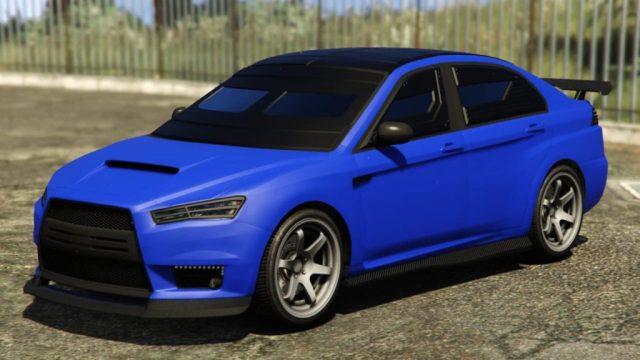
Overview
GTA Online is the dynamic multiplayer segment of Grand Theft Auto V, which allows players to engage in various missions, races, and heists in a vast open world. With continuous updates and new content, it remains highly popular among gamers. Whether you're a newcomer or returning before the anticipated GTA 6 release, understanding how to download and set up GTA Online is crucial for an exceptional gaming experience.
Platform Availability
GTA Online is available on multiple platforms, ensuring a broad player base. You can access the game on:
- PC: Available via Steam and the Rockstar Launcher.
- PlayStation: PlayStation 4 and PlayStation 5 can download it through the PlayStation Store.
- Xbox: Xbox One and Xbox Series X|S users can find it on the Xbox Store.
System Requirements
To ensure a smooth gaming experience on GTA Online, your system must meet the following requirements:
Minimum Requirements
- OS: Windows 8.1 / 10 (64-bit)
- Processor: Intel Core 2 Quad CPU Q6600 / AMD Phenom 9850
- Memory: 4 GB RAM
- Graphics: NVIDIA 9800 GT 1GB / AMD HD 4870 1GB
- DirectX: Version 10
- Network: Broadband Internet connection
- Storage: 72 GB free disk space
Recommended Requirements
- OS: Windows 10 (64-bit)
- Processor: Intel Core i5 3470 / AMD X8 FX-8350
- Memory: 8 GB RAM
- Graphics: NVIDIA GTX 660 2GB / AMD HD 7870 2GB
- DirectX: Version 11
- Network: Broadband Internet connection
- Storage: 72 GB free disk space
How to Download
Downloading GTA Online varies slightly depending on your chosen platform. Here's a step-by-step guide for each:
For PC (Steam)
- Open the Steam client on your computer.
- Log in to your Steam account or create a new one.
- In the Store, search for "GTA Online" or "Grand Theft Auto V".
- Select the game from the list and click on the "Add to Cart" button.
- Proceed to checkout and complete your purchase.
- Once purchased, you can download the game directly from your Library.
For PlayStation
- Turn on your PlayStation and sign in to your account.
- Navigate to the PlayStation Store from the home screen.
- Search for "GTA Online".
- Select it and follow the on-screen prompts to purchase.
- After the purchase, select "Download" to install it on your console.
For Xbox
- Start your Xbox console and sign in to your profile.
- Go to the Microsoft Store.
- Search for "GTA Online".
- Click on the game and choose to buy it.
- Once the payment is confirmed, select "Download" to start installation.
Key Takeaways
- GTA Online offers expansive multiplayer gameplay in a thriving community.
- The game is available on PC and gaming consoles like PlayStation and Xbox.
- Ensure your system meets the specified requirements for optimal performance.
- Follow the outlined steps to download and install the game on your platform.
- Stay engaged with regular updates and new content for a fresh gaming experience.
Frequently Asked Questions
What is GTA Online?
GTA Online is a multiplayer mode of Grand Theft Auto V, featuring various missions, heists, and a diverse open world.
Do I need to have GTA V to play GTA Online?
Yes, GTA Online is included with Grand Theft Auto V, and you must own it to access the online component.
Is GTA Online free to play?
While the online mode is free, you need to purchase GTA V to access it.
Can I play GTA Online on my mobile device?
GTA Online is not available on mobile devices. It can only be played on PC and gaming consoles.
How often is GTA Online updated?
GTA Online receives regular updates, introducing new content and features to keep players engaged.