
Key Takeaways
- Apex Legends is crucial for esports fans in Southeast Asia.
- Available on PC, PlayStation, Xbox, and Nintendo Switch.
- Minimum system requirements ensure smooth gameplay.
- Join the game to explore new Cyberpunk crossover content.
- Get started with quick installation steps from official platforms.
Overview of Apex Legends
Apex Legends is an innovative free-to-play battle royale game developed by Respawn Entertainment. Launched in February 2019, it quickly gained traction among gamers around the globe, particularly in the Southeast Asian markets such as Indonesia, where esports culture is thriving. The game combines hero-based gameplay with an intuitive movement system, setting it apart from traditional battle royales.
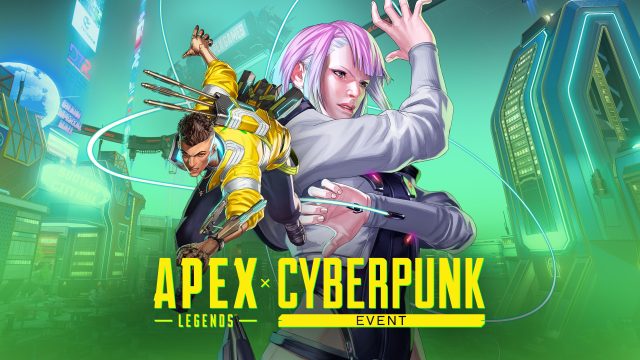
With its vibrant characters and fast-paced combat, Apex Legends not only attracts casual gamers but also competitive players, making it a staple in esports tournaments. The recent news of a collaboration with Cyberpunk 2077 characters has further heightened interest, adding an exciting layer for both franchises' fans.
Platform Availability
Apex Legends is available on various platforms, allowing players to join the action regardless of their gaming preferences:
- PC: Available through Origin and Steam.
- PlayStation: Downloadable via the PlayStation Store.
- Xbox: Access through the Xbox Store.
- Nintendo Switch: Available on the Nintendo eShop.
System Requirements
To ensure optimal performance while playing Apex Legends, it's important to meet the minimum system requirements:
For PC Users:
- OS: Windows 7 64-bit
- Processor: Intel Core i3-6300 3.8GHz or AMD FX-4350 4.2GHz Quad-Core Processor
- Memory: 6GB RAM
- Graphics: NVIDIA GeForce GT 640 or AMD Radeon HD 7730
- DirectX: Version 11
- Network: Broadband Internet connection
- Storage: Minimum 22GB of free space
For Consoles:
Consoles generally do not require extensive specifications. Make sure your device is updated to the latest firmware to enjoy the best gaming experience.
How to Download Apex Legends
Downloading Apex Legends is a straightforward process. Follow these steps depending on your chosen platform:
For PC: Steam and Origin
- Visit the official Steam or Origin website.
- Create or log in to your account.
- Search for Apex Legends in the library.
- Click on "Play Now" and proceed with the installation.
For PlayStation
- Open the PlayStation Store on your console.
- Search for Apex Legends.
- Select "Download" to start installation.
For Xbox
- Access the Xbox Store on your console.
- Search for Apex Legends.
- Select the "Download" option and follow the prompts.
For Nintendo Switch
- Launch the Nintendo eShop.
- Look for Apex Legends.
- Choose "Download" and wait for installation.
Conclusion
Apex Legends is more than just a game; it's a phenomenon influencing the esports scene, particularly in regions like Southeast Asia. With new collaborations and content updates, there's never been a better time to download this dynamic title. Whether you're a seasoned gamer or new to battle royales, Apex Legends offers an exhilarating experience that shouldn't be missed. Don't hesitate — join the action today and see what the buzz is about!