
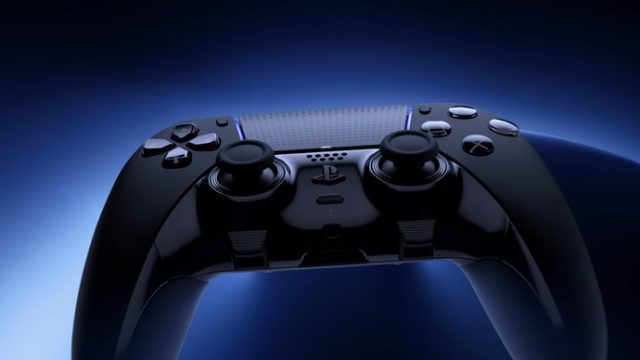
Unlock the Full Power of Your DualSense Controller on PC
In the world of gaming, the PlayStation DualSense controller represents a significant leap in technology, offering players immersive experiences through its advanced features. If you've recently transitioned to PC gaming or are looking to take full advantage of your DualSense, you're in the right place. This guide will walk you through the process of downloading the necessary software, ensuring you can experience the complete range of functionalities that the DualSense has to offer—wirelessly! Let's dive into how to make the most of this impressive controller.
Overview of the DualSense Controller
The DualSense controller, introduced with the PlayStation 5, has garnered attention for its outstanding innovations. Key features include adaptive triggers, haptic feedback, and an integrated microphone. These enhancements create a rich, tactile connection to games, allowing players to feel every action. While these features shine on the PS5, many players wish to leverage them on their PCs, especially now when cross-platform gaming is on the rise.
Platform Availability
The DualSense is compatible with various platforms beyond the PS5. Here’s where you can use it:
- PC: Utilize the DualSense on Windows OS for a seamless gaming experience.
- PlayStation 5: Naturally, it is fully integrated with the PS5 system.
- Cloud Gaming Services: Use the controller with services like PlayStation Now and Xbox Cloud Gaming.
System Requirements for Using DualSense on PC
To ensure your DualSense controller operates flawlessly on your PC, make sure your system meets the following requirements:
- Operating System: Windows 10 or later versions.
- Bluetooth Adapter: A compatible Bluetooth adapter is required for wireless connectivity.
- USB-C Cable: For initial setup, a USB-C cable is recommended if Bluetooth is not available.
Important Note
While the DualSense can be used on PC, to access its full functionality, including haptic feedback and adaptive triggers, you may need to download additional software. This software allows the controller to communicate all its advanced features to your PC.
How to Download the Necessary Software
Getting your DualSense controller fully operational on your PC is straightforward. Follow these steps to download the required software:
- Visit Steam: Open the Steam client. If you don't have it installed, download it from Steam's official page.
- Access Settings: Go to the settings menu within the Steam client.
- Controller Configuration: Navigate to the 'Controller' section and select 'General Controller Settings.'
- Enable DualSense Support: Check the box for PlayStation Configuration Support. This will enable the DualSense features.
- Utilize Big Picture Mode: To take full advantage of the controller’s features, switch to Big Picture Mode in Steam.
- Test Your Controller: After setup, test the DualSense to ensure all features are working correctly. You can do this in the 'Controller Settings' menu.
Enhancing Your Gaming Experience
Once your DualSense controller is connected and the software is installed, it's time to enhance your gaming. Here’s how you can make the most out of your gaming sessions:
Adjust Controller Settings
Customize your controller settings in Steam to match your gameplay style. This includes remapping buttons, adjusting sensitivity, and more.
Explore Compatible Games
Test out games that are known to fully utilize the DualSense features. Some popular titles include:
- Astro's Playroom: A great introduction to DualSense features.
- Control: Offers immersive gameplay enhanced by haptics.
- Call of Duty: Warzone: Experience intense gameplay with adaptive triggers.
Stay Updated
Keep an eye on updates from Steam and gaming developers to ensure you never miss out on new features or enhancements for your DualSense controller.
Conclusion
Using the DualSense controller on PC not only enriches your gaming experience but also bridges the gap between console and PC gaming. With its advanced features, players can enjoy a more connected and immersive way to play. By following this guide, you can unlock the full potential of your DualSense controller on your PC. Start downloading today and elevate your gaming experience to new heights!